
SEO Evidence Lab.
The audit that shows its work.
A side panel for technical SEO. It compares the HTML your server sends with the page Chrome actually builds, reads your robots policy the way each crawler reads it, and saves every scan so you can prove what changed. All of it happens in your browser.
Version 0.2.3 · no account, no analytics, and four permissions in total.
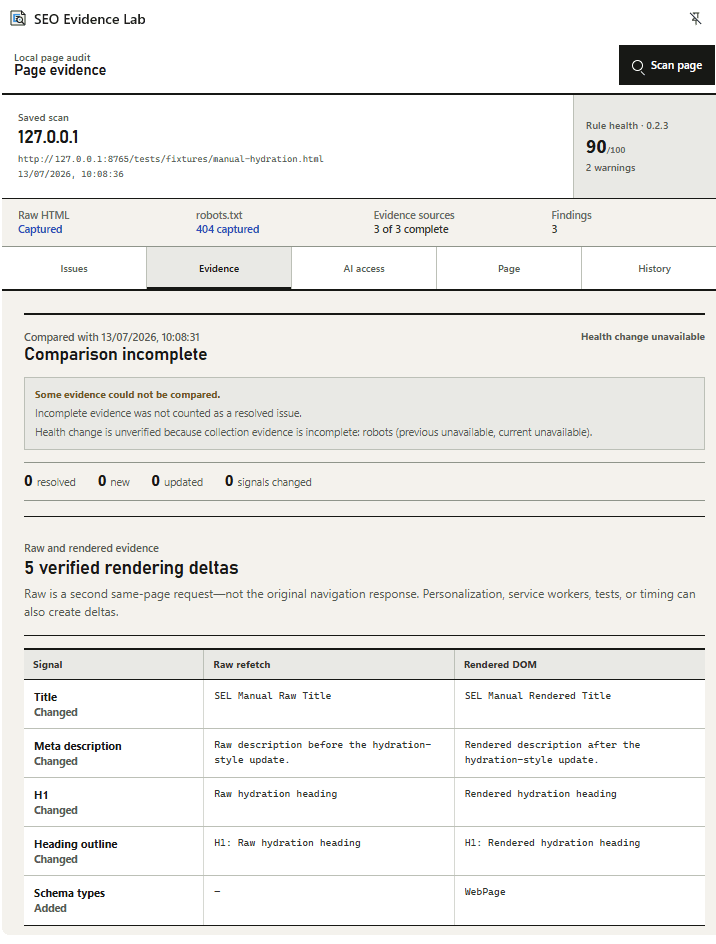
What the server sent, beside what Chrome built.
Modern pages rewrite themselves as they load, so the HTML a crawler fetches and the document a visitor sees can quietly disagree. Each scan refetches the page’s raw HTML and compares it with the rendered DOM, signal by signal: title, description, canonical, robots, headings, hreflang, schema types, social tags, links, and images. Verified deltas land in one table, and when evidence is partial or missing the panel says so instead of guessing.
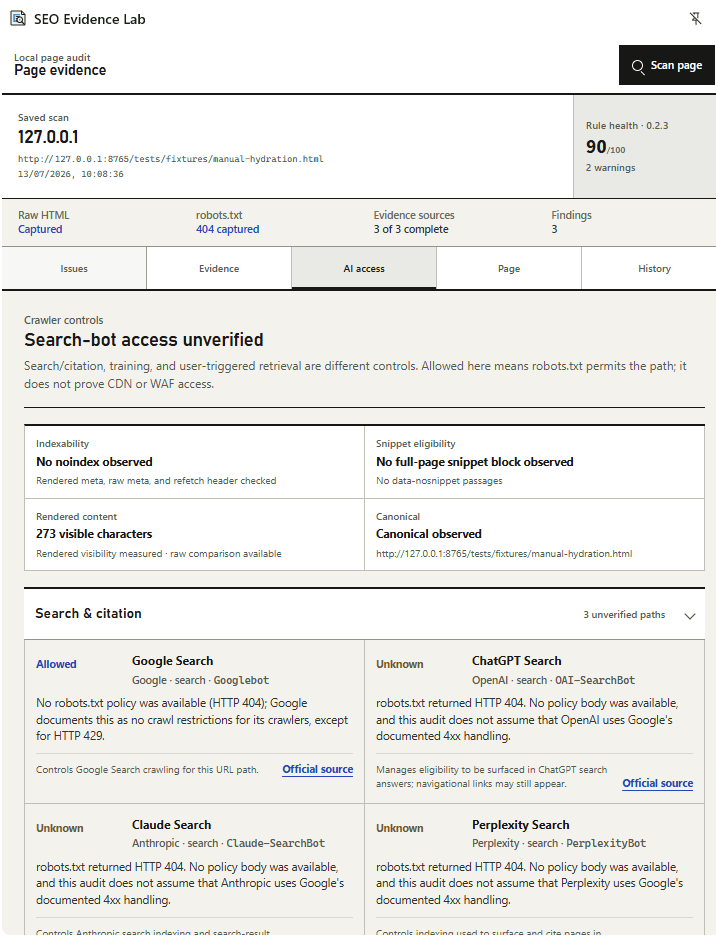
Who may read your site, according to the record.
Search crawlers, training crawlers, and user-triggered fetchers are different machines with different rules, and most tools blur them into one number. SEO Evidence Lab evaluates your robots.txt separately for each documented agent: Googlebot and Google-Extended, the OpenAI, Anthropic, and Perplexity search bots, their training crawlers, and their user fetchers. Every verdict carries the matched rule, the plain-language consequence, and a link to the official documentation. It does not offer an AI-readiness score, because an honest one cannot be computed from the outside.
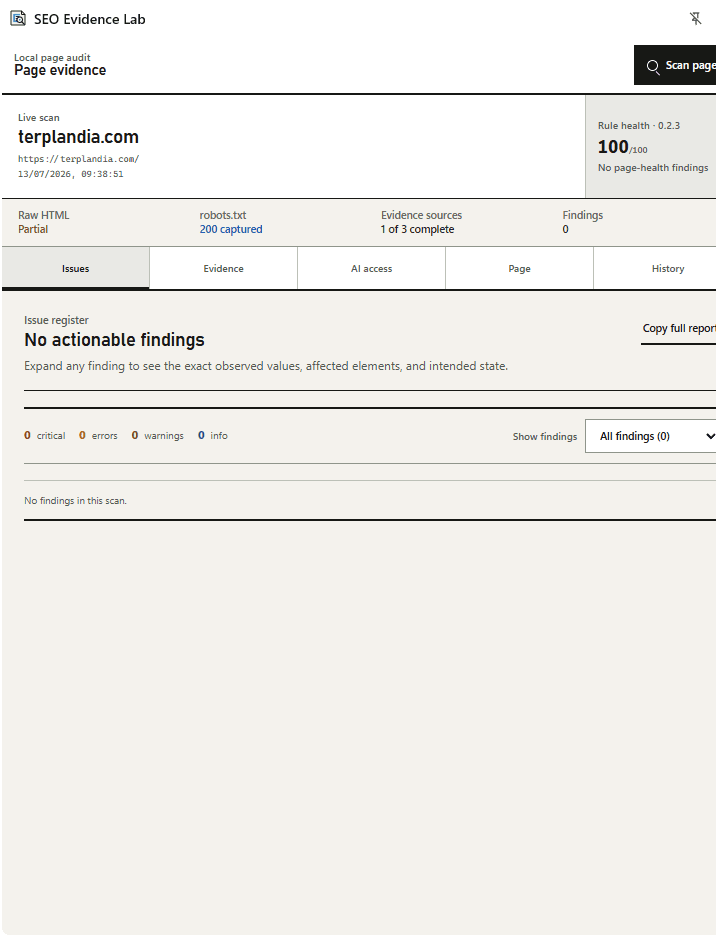
Ship the fix, then prove it.
Scans are saved locally, and scanning a page again compares it with the previous run: findings resolved, findings new, signals changed. Any run exports as Markdown or JSON, ready for the ticket, the client note, or the PR description. Comparisons claim only what both scans can support. If evidence was incomplete, the report names the missing channel rather than counting it as fixed.
Your scans stay on your machine.
There is no Mad Max Labs server behind this extension. It scans only when you press the button, talks only to the site you are scanning, and keeps its history in Chrome’s local storage on your device. Four permissions, each with a stated job:
Read the page in the tab where you pressed Scan page. One tab, only after you act.
Run the collector inside that page. This is what gathers the evidence during a scan.
Show the audit in Chrome’s side panel, beside the page instead of over it.
Keep scan history in Chrome’s local storage, on your device.
Get SEO Evidence Lab.
Free on the Chrome Web Store. Install it, open the side panel on any page you care about, and press Scan.
Support and questions: madmaxlabsllc@gmail.com. We read everything sent there.