Mix & Match Bundles.
Let them build the box.
Pick which products can go in, set the smallest and largest box you will sell, and decide what each item costs at each size. Shoppers mix freely. The more they add, the less each one costs, and they watch the saving grow while they choose.
Free for your first bundle, with no time limit. No account to create. It authenticates through Shopify.
The price drops as the box fills.
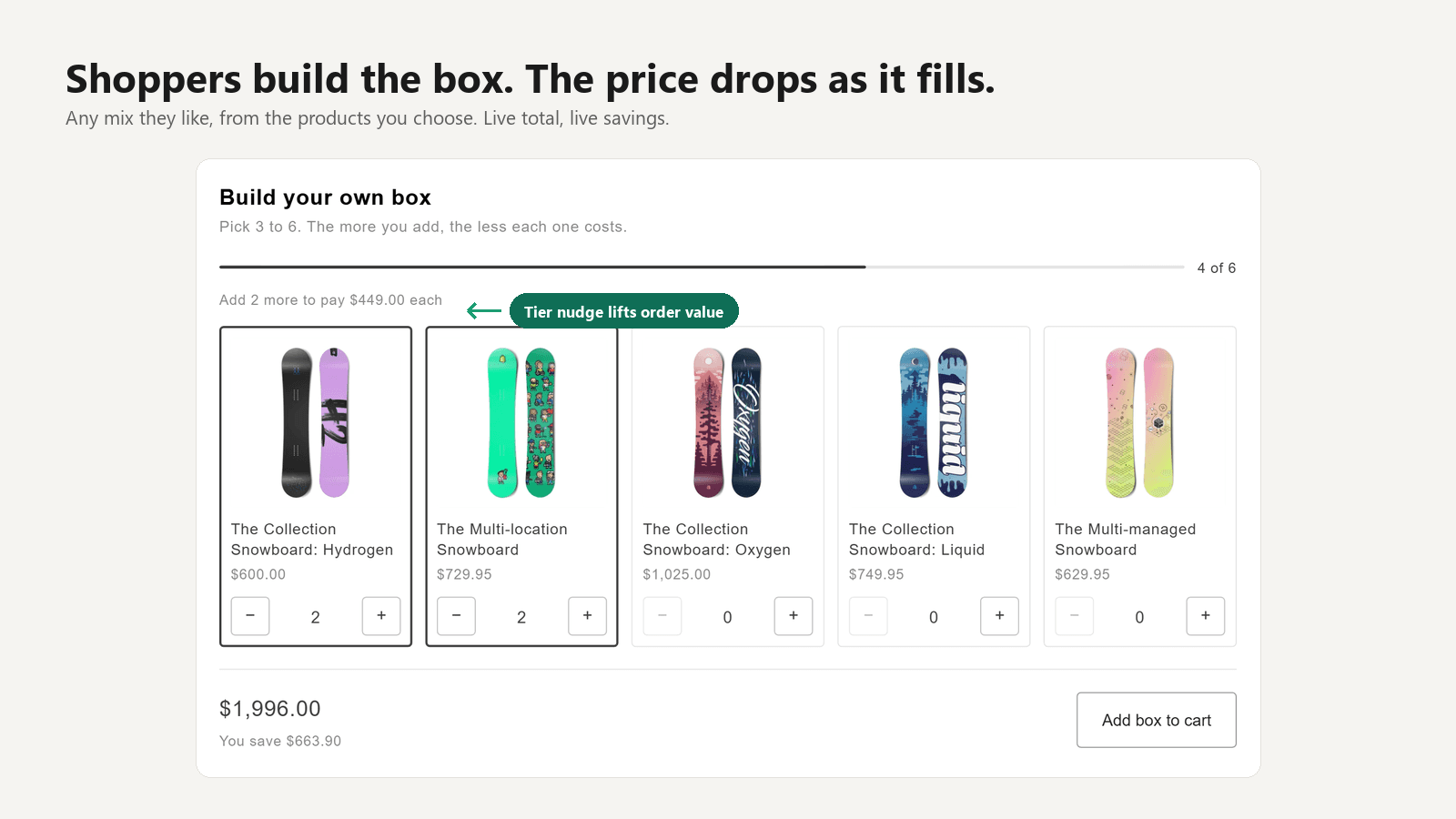
Every product you allowed appears with its live price, stock and image, read straight from your catalogue, so nothing here can go stale. As the box fills, the running total and the saving update, and a quiet nudge shows what the next size up would be worth. That nudge is the part that earns its keep: it is the difference between a three-item box and a six-item one.
Real products, not one mystery line.
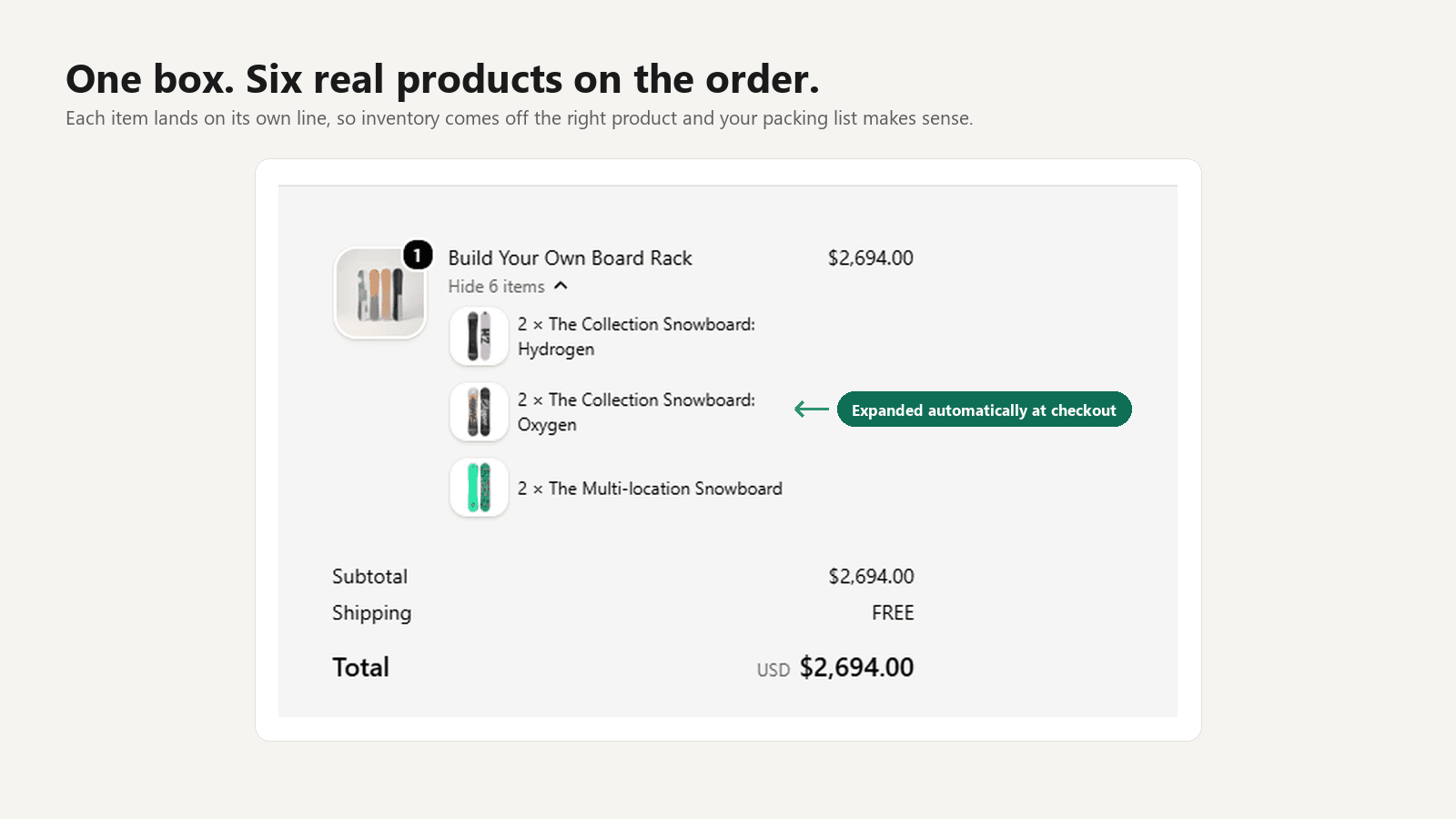
The box travels through the cart as a single line at the box total, then expands at checkout into the individual items. Stock comes off each product, your fulfilment team packs from a list that makes sense, and your reporting still knows what actually sold. Nobody has to reconcile a bundle SKU against what was in it.
One screen, and no product data to change.
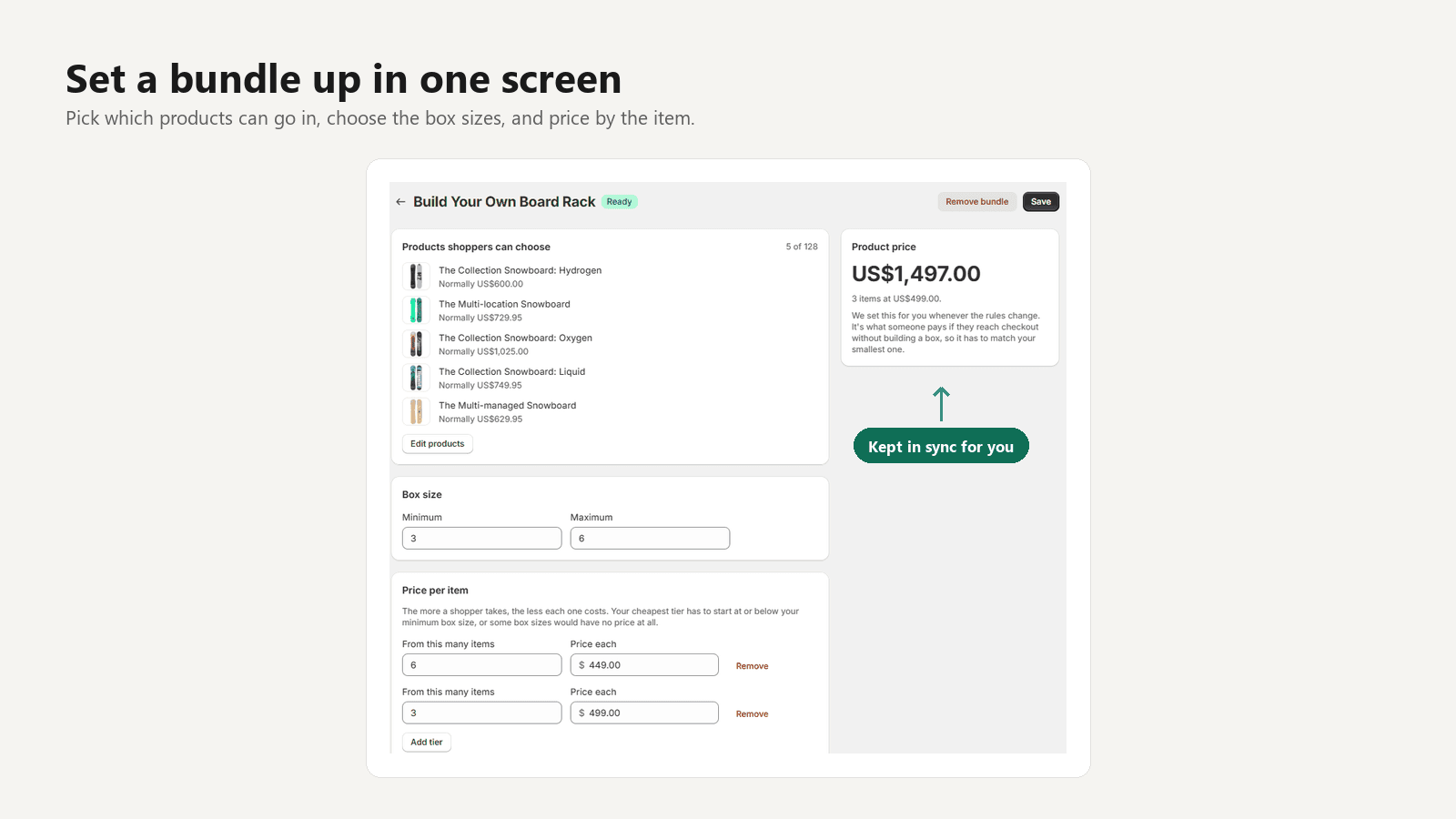
Choose products with Shopify’s own picker, set your sizes, add your rates. The app creates and publishes the bundle’s product for you and keeps its list price in step whenever your rules change. That matters more than it sounds, because that price is what a failed box would otherwise fall back to.
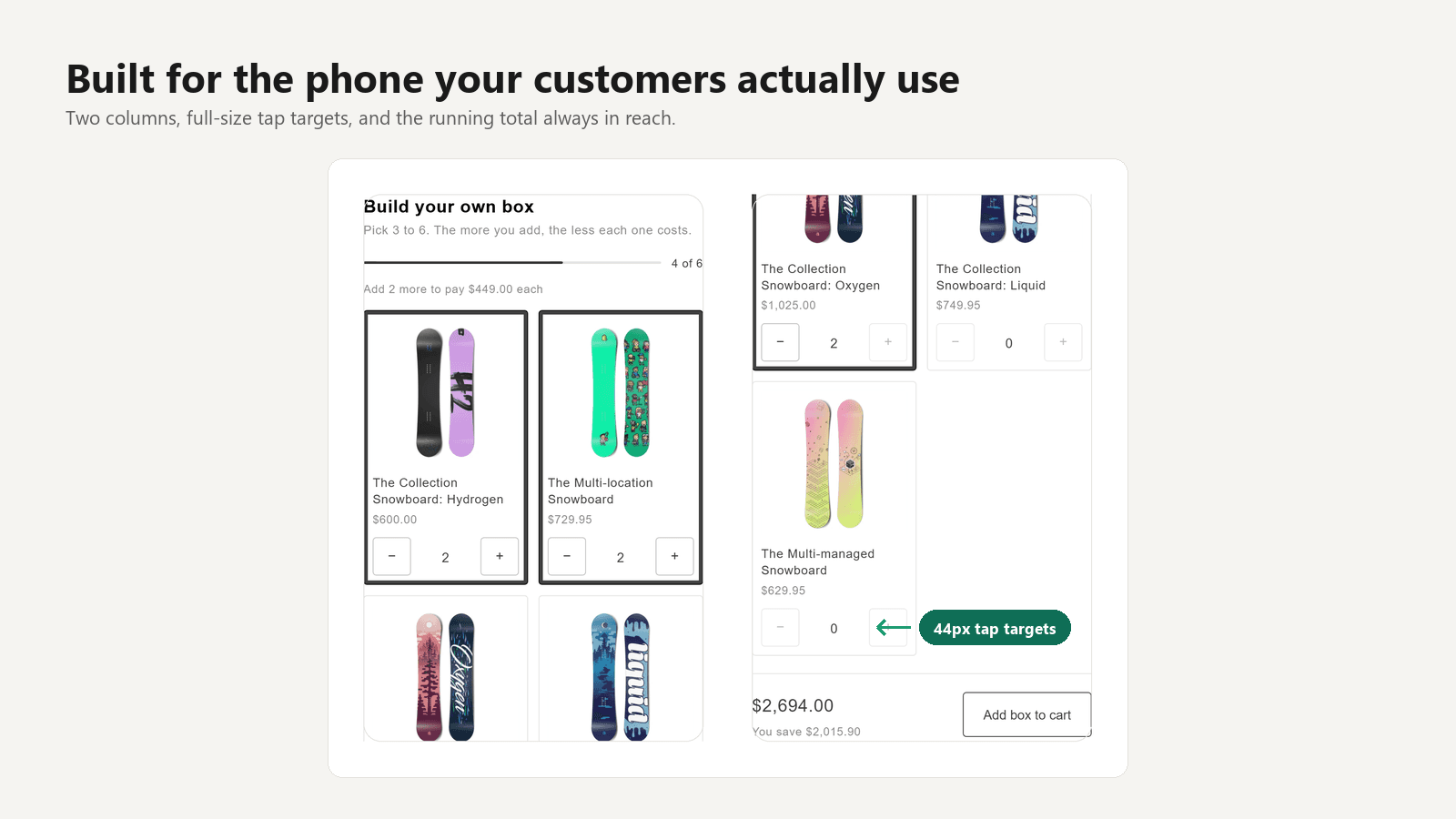
Built for the screen most of them are using.
The picker lays itself out from the space it is given rather than from the size of the window, so it behaves the same inside a narrow column as it does full width. Tap targets stay at the size a thumb needs. It was measured at three real phone widths, down to the smallest iPhone, with nothing overflowing.
What it will not do.
Better to lose the install now than to be a refund and a one-star review later.
A bundle built this way cannot carry a selling plan. This is a Shopify platform limitation affecting every app that builds bundles this way, not a gap we intend to close.
And up to 150 items inside one box. Both are platform ceilings rather than plan limits, so they are the same on every plan.
The picker installs as a theme block, so it needs the Online Store sales channel and a theme that supports app blocks. Every Online Store 2.0 theme does.
Setting up your first box.
Four steps, two screens, and about two minutes. Nothing below needs a developer.
Choose what can go in the box
Open the app and create a bundle. Pick the products a shopper may choose from using Shopify's own product picker. There are no lists to type and no product data to change.
Set the sizes and what each item costs
Choose the smallest and largest box you will sell, then add a tier for each size that earns a better rate. A six-item box can cost less per item than a three-item box.
Drop the block on your product page
In your theme editor, add the Bundle picker block to the bundle's product page. It replaces the usual add-to-cart, and hides the theme's own buttons so nobody can bypass the box.
That's it. The rest is automatic
The app creates and publishes the bundle product for you, keeps the storefront copy in step with your rules, and re-checks every box at checkout.
Priced per bundle, not per order.
No revenue share and no per-order fee, so a good month costs the same as a quiet one. Billing is handled by Shopify and appears on your normal Shopify invoice.
No time limit. Build one, put it live, and see whether it sells before paying anything.
For a store running a few build-your-own boxes at once.
For catalogues where every category gets its own box.
The things people ask first.
- How is this different from Shopify's own Bundles app?
- Shopify Bundles builds fixed bundles and multipacks: you decide the contents, and every shopper buys that same combination. It does not do mix-and-match at all. This app is for the case where the shopper decides what goes in the box.
- Do orders arrive as real products, or as one mystery line?
- As real products. The box travels through the cart as a single line at the box total, then expands at checkout into the individual items the shopper chose, each as its own line. Stock comes off each product, and your packing list reads like an ordinary order.
- Can shoppers tamper with the price?
- No. What the shopper picked is re-checked at checkout against your allowed products, box sizes, and pricing tier. A box that has been edited is rejected rather than sold at a discount you never offered.
- Can I sell a bundle as a subscription or a pre-order?
- No, and this is worth knowing before you install. Bundles built this way cannot carry a selling plan. It is a Shopify platform limitation that applies to every app that builds bundles this way, not something specific to this one. If your bundle needs a subscription attached, this app will not work for you.
- How many products can go in one bundle?
- Up to 128 products can be offered inside a single bundle, and a shopper can put up to 150 items in one box.
- Will it slow my storefront down?
- It adds about 7.5 KB over the wire on the bundle's product page: one small stylesheet and one small script. Neither blocks the page from rendering, and there are no third-party requests. On every other page in your store it adds nothing at all, because the block outputs nothing when a product has no bundle attached.
- What happens if I downgrade my plan?
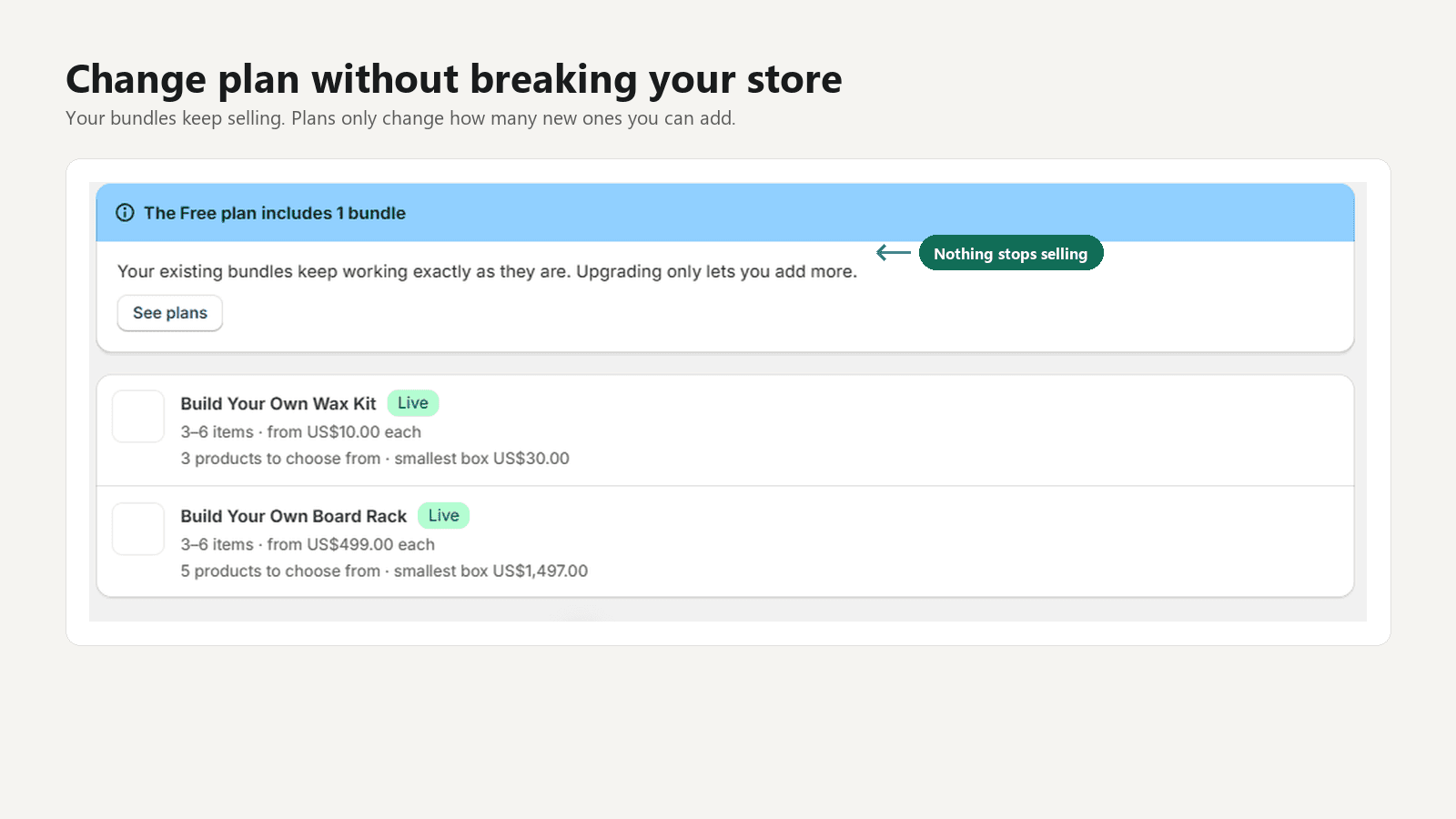
- Nothing breaks. The plan limit applies only to creating new bundles. Every bundle you have already built keeps working and every storefront keeps selling. You simply cannot add another until you are back under the limit.
- Do I need a developer?
- No. Setup is one screen in the app and one block in your theme editor. There is no code to paste, no theme file to edit, and no changes to your product data.
- Which themes does it work with?
- Any theme that supports app blocks, which is every Online Store 2.0 theme including Dawn and the free themes Shopify ships. The picker reads its sizing from your theme's own text so it inherits your type scale rather than fighting it.
Get Mix & Match Bundles.
The app is built and running on our development store. The App Store listing goes in for review once its screencast is recorded, and Shopify's queue runs several weeks. If you would like a note the day it goes live, write to us and we will send exactly one.
Support and questions: madmaxlabsllc@gmail.com. We read everything sent there.
It adds about 7.5 KB to the one product page it runs on, and nothing at all to the rest of your store. Privacy policy.