To train your team to use Claude, give each person their own account, connect it to the tools they already sell with, and teach it through one real job per person instead of a tour of features. This year we trained the owner and the sales lead of a family-run US business that sells to other businesses, and they run these systems themselves now. Below is the order we set it up in, how they learned it, and four mistakes worth skipping.
What does the team run on its own now?
The sales lead's cold email goes out as an Apollo sequence. We built its prospect lists in Apollo, the sales platform the business already paid for, through Apollo's official Claude connector signed in as him. Scheduled tasks in his own Claude keep the sending mailbox warm: they send mail through it on a schedule so inbox providers learn to trust the address. The owner uses his Claude for image work, and his Claude can publish to the company blog. Underneath all of it, every paid order lands in their CRM, GoHighLevel, without anyone touching it.
- Build prospect listsClaude, through Apollo
Apollo's official connector, signed in as the sales lead, so it works with his permissions and his credits. We ran the list builds.
The sales lead and the owner decide who goes into a sequence.
- Send the cold emailAn Apollo sequence
One email, five a day, from a domain kept apart from the one the store mails from.
The copy was rewritten after the owner turned down the first draft, and every merge field was checked in preview first.
- Warm the new mailboxScheduled tasks
In the sales lead's own Claude, sending through the mailbox directly.
The daily cap stayed at five while the mailbox rated Fair.
- Log every orderThe store, on its own
Each paid order becomes a contact and a card in an order pipeline in the CRM.
The team moves the card along as the order ships.
- Email buyers and sign-upsKlaviyo flows
From a subdomain of the brand's domain, to the warm list only.
Nothing goes live to customers without a separate yes from the owner.
- Images and blog postsThe owner
His own Claude, with an image model and access to publish on the company blog.
His Claude's README warned that generator links expire and every file must be re-hosted before it is published.
How do you set up Claude for a sales team?
Most of the work of using Claude for sales outreach is setup. This is the order we did it in, starting in May.
1. Their accounts, their logins
Each person runs Claude in their own account. Each tool connects as the person who owns it: the Apollo connector we used to build the lists is signed in with the sales lead's own Apollo seat, so it can do exactly what he can do there and nothing more. His warming tasks and the owner's files live in their own Claude accounts.
2. Connect the sales tool through the vendor's official connector
Apollo publishes an official MCP server (MCP is how Claude plugs into outside tools). Apollo hosts it, and you connect by signing in to Apollo, so there is no key to copy and Claude gets exactly your Apollo permissions. Its plugin for Claude adds ready-made skills for prospecting, enriching a lead, loading a sequence and asking for analytics, and the sequence skill shows a preview before anyone is enrolled. We connected it in Claude's desktop app on our side, signed in with the sales lead's Apollo login, after a first try that went wrong (it's in the mistakes below).
3. Describe the buyer by what their company makes
Broad searches came back full of companies outside the buyer profile. What worked was writing the buyer down by what their company makes, searching on keyword tags for those products, and cutting whole categories that looked right in a search and never fit: retailers, distributors, software and finance firms. The result was four lists: three split by the kind of company, and one cleaned out of the contacts the business already had. Whether to load them into a sequence was left to the owner and the sales lead.
4. Keep cold and warm apart
Cold means people who have never heard of you. Warm means people who bought or signed up. They get separate domains and separate tools, with one rule between them.
- 01Found by what their company makes, then filtered by hand
- 02Addresses enriched before the first send
- 03Sent from a separate domain with its own SPF, DKIM and DMARC
- 04One email, five a day, while the mailbox warms
- 05Replies land with the sales lead, who takes it from there
- 01Arrive through the store: an order or a sign-up form
- 02Mailed from a subdomain of the brand's domain, authenticated for the email platform
- 03Welcome, checkout and follow-up flows in Klaviyo
- 04Every paid order also lands in the CRM as a contact and a card
The cold side mails from its own domain with SPF, DKIM and DMARC set up, the three records in Google's sender guidelines that let an inbox check the mail is really from you. The warm side is Klaviyo, the store's email platform, sending from a subdomain of the brand's domain that is authenticated for it. The emails themselves were hand-built with Claude and an image model, and that method has a guide of its own.
5. Write one email, and show the owner the draft
Before the rewrite, the sequence was a three-email chain. The owner turned it down as generic AI copy, the same words already all over LinkedIn, and he was right. The rewrite is one email with no follow-ups: the buyer's problem first, then proof, then a real question about what they use now. No price: the owner doesn't lead with price on a cold email.
- Shape
- Three emails in a chain, each one a nudge on the last.
- Greeting
- Hi [first_name], typed in square brackets. Apollo does not read that as a variable, so it would have gone out exactly like that.
- Status
- All three steps switched off, so the sequence never sent at all.
- Shape
- One email. No chain behind it.
- Greeting
- Hi {{contact.first_name}}, picked from the editor's variable menu and checked in preview against real contacts.
- Subject
- The buyer's problem, stated bluntly.
- Body
- The problem first, then the proof: who runs the company, and evidence the buyer can check.
- Close
- A real question about what they use now.
6. Five a day, while scheduled tasks warm the mailbox
We launched at five emails a day. The domain was young, Apollo rated the mailbox's health "Fair", and a slow start protects it. Warming was already running as scheduled tasks in the sales lead's own Claude, sending through the mailbox directly so its reputation builds before the volume does.
A scheduled task is the easiest automation to hand to a non-technical person. In Claude you describe the task and how often it should run, answer any questions it asks, and approve the schedule it proposes.
How did they learn to run it?
Mostly from the work itself: documents written for whoever does each step, and the owner using his own Claude on real jobs.
The handover documents we wrote for the owner mark each step with who does it (him, us, or both) and roughly how long it takes. The deliverability plan also said what would not happen until he said so, in two lines: approving the plan switched nothing on, and turning the welcome series and campaigns live would be a separate yes.
We turned that method into a public handoff sheet you can copy. The example job is deliberately small: prepare a prospect list for review. It names the person, account, output, checks and the point where the assistant stops. None of it needs a shared login.
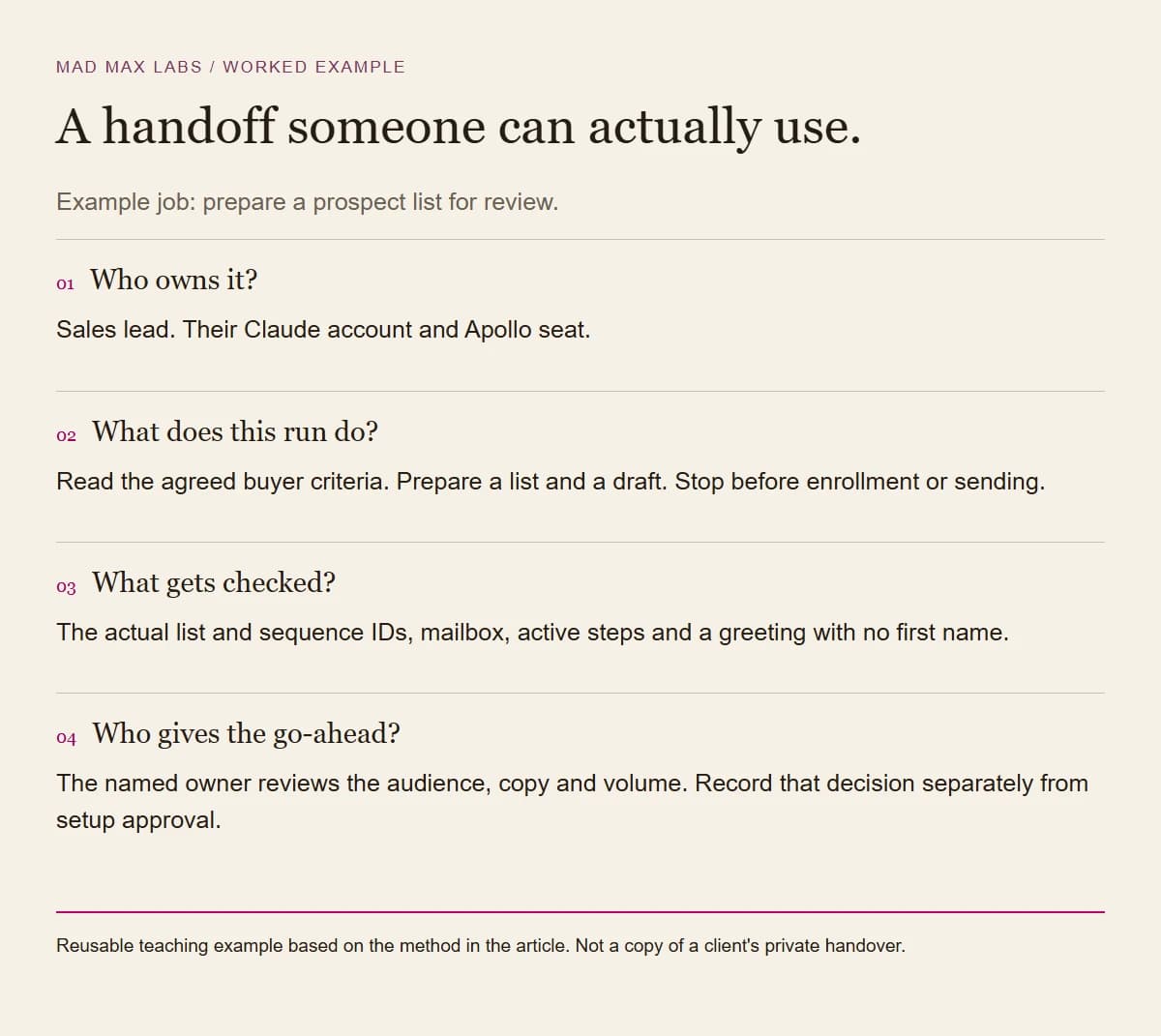
Download the editable handoff sheet. Fill in the exact list and sequence IDs as well as their names. Similar names are easy to confuse, and a plan that says “the sales sequence” leaves the next person guessing.
Until July, when he wanted something changed on the site, his Claude built a handoff package: the new images, a side-by-side gallery to compare them with what's live, mapping files that say which image goes where, and a README. One of those READMEs warned that the image links from the generator expire and have to be downloaded and re-hosted before anything is published. It was right. Every image we publish for this business is downloaded and re-hosted on its own server first.
In July he asked for his Claude to be able to publish to the company blog so he could write and post there himself, and it was given that access at the end of the month.
The image rules we work to are short:
- Generate the scene, never the product. Give the image model (Higgsfield, in our case) the real product photo as the reference, so the label survives.
- Re-host every file before it is used anywhere.
- Read the brand guide first. On one job the guide banned AI-made product images, so the two backdrops we generated went unused and real photography won.
One Friday night the plan was to connect new sending mailboxes to Apollo and finish their email authentication. Claude worked through the domain settings in Falcon's browser and the DMARC records went in, while the owner answered questions by text. The mailbox connections stopped at the sign-in screens, and DKIM needed an admin login nobody could name that night. Claude doesn't type passwords, so those steps waited for the people who hold them.
What went wrong on the way?
Four mistakes, all cheap to avoid once you have seen them.
We built our own connector first
Before the official server, we wrote a small one of our own around Apollo's developer API, using a key made in Apollo's developer portal. Contact lookups worked. People search and sequences came back API_INACCESSIBLE.
Apollo's API key docs say a key only reaches the endpoints picked when it was created, unless it is made a master key. We didn't chase it. The official server signs in as the person, which made the question go away along with a key we would have had to store and rotate.
The curated sequence was not the one sending
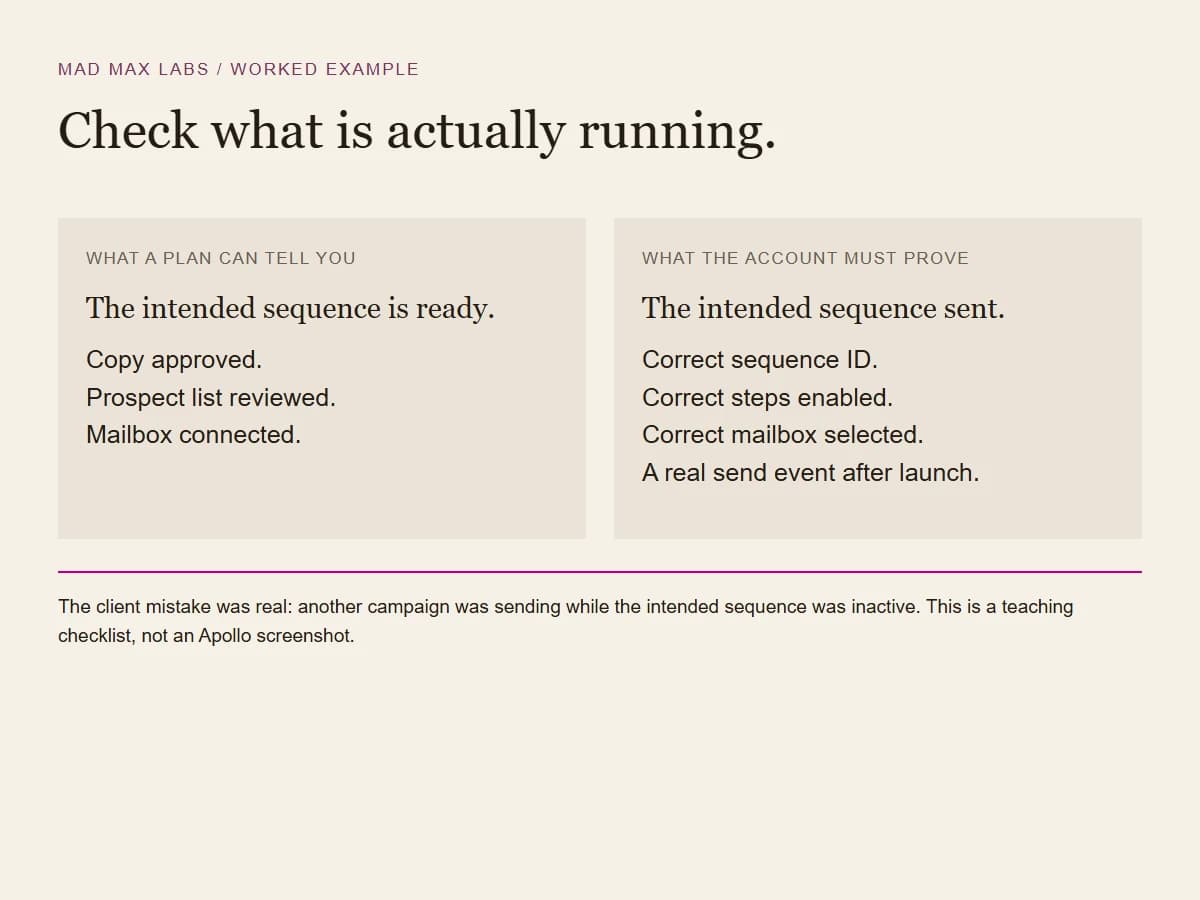
A status check a few weeks in found nothing coming back from cold email. Mail was going out, but through another campaign with a placeholder name, while the curated sequence had all three of its steps switched off and had never sent once. Before you judge whether outreach works, open the account and check which campaign is actually sending.
A greeting that would have read "Hi [first_name],"
The old copy had [first_name] typed in square brackets. Apollo doesn't read that as a variable. Its variables sit in double braces and come from the editor's variable menu. The preview showed the brackets as plain text, which is how it was caught before that sequence ever sent.
Apollo's help page on dynamic variables also gives a fallback for contacts with no first name, and warns that a variable left unresolved blocks the message from sending:
Hi {{#if contact.first_name}}{{contact.first_name}}{{#else}}there{{#endif}},
A password prompt with nowhere to type
One evening the owner was stuck in Claude Code on his Mac. Git, the tool that tracks changes to files, had stopped working, and would not run again until he accepted the license for Xcode, Apple's developer tools. Accepting it takes sudo, the command that asks for your Mac password before an admin change, and the password prompt would not take anything he typed. He reinstalled Xcode and hit the same wall.
There were two likely reasons, and one message covered both. If Claude is asked to run a sudo command, there is nowhere for you to type the password, so it has to go in the Mac's Terminal app. And in Terminal the password prompt shows nothing as you type, which looks exactly like a frozen window. Falcon asked Claude for "the easiest, dumb friendliest way" to get it done, and this is the message it wrote for the owner, trimmed:
1. Press Command + Space.
2. Type Terminal and press Enter. (The Mac's Terminal app, not Claude Code.)
3. Paste this line and press Enter:
   sudo xcodebuild -license accept
4. Type your Mac login password. The screen shows nothing while you
   type: no dots, no cursor. That is normal. Press Enter.
5. Quit Claude Code with Command + Q and open it again.
Step 4 does the most work. A password field that shows nothing while you type looks broken to anyone who has not seen one, so the message warns him before he gets there.
Which Claude does a small team need?
Claude's Team plan covers 2 to 150 people, and scheduled tasks are on every paid plan: Pro, Max, Team and Enterprise. You pick hourly, daily, weekly, weekdays or manual, and they run remotely, so they keep going while the computer is asleep. A task that needs local files or apps runs only on the machine that has them. Here, the owner's Claude was Claude Code on his Mac, and the sales lead's scheduled tasks ran in his Claude account.
If your team learned Cowork, the separate place Anthropic built for bigger work, it is being folded in. On 16 September 2026 Anthropic started merging Cowork and chat into one Claude, rolling out on Pro and Max first, with Team and Free to follow. Existing chats, projects, connectors and skills stay where they were, so nothing your team built is lost.
Mailbox warming is our working example of a scheduled task for a sales team. Others we would start with: a Monday read of last week's sends and replies through the Apollo connector, or a morning list of replies still waiting for an answer.
If your business already runs on QuickBooks, PayPal, HubSpot, Canva, Docusign, Google Workspace or Microsoft 365, look at Claude for Small Business, launched on 13 May 2026. It adds connectors for those tools and 15 ready-to-run workflows, built so that "you approve before anything sends, posts, or pays." That is the same rule we hold to.
How long does it take, and how do you know it worked?
For this team, about three weeks passed between connecting Apollo in mid-May and the cold sequence going live in early June, and the prospect lists were built three days in. For one person, our Claude Code setup is two 90-minute sessions that end with one scheduled task running on its own. You know it worked when the person runs the job without you, the scheduled task has run by itself, and every step that reaches a customer has a named person's yes behind it.
What should you set up first on your own team?
Pick the task each person repeats every week and teach Claude through that task, with their files and their customers in mind.
Every person on their own account. Connect each tool through the vendor's official connector, signed in as the person who uses it.
Describe who buys by what their company makes or does, and list the categories to cut before you search.
Set this up before the first cold email goes out. Cold contacts never go on the warm list.
Check every merge field against a contact who has the field and one who doesn't.
Something dull that runs on its own, like mailbox warming, plus a document that says who does each step. Anything that reaches a customer waits for a person's yes.
Tap a box as you go. Checks reset when you leave this page.
If you would rather do this with us, it is what we sell as AI setup and training: setup for one person, a team workshop, or a four-week program that sets up and trains the whole team. We run our own leads without a CRM at all, and the 469 lines of Node that replaced ours are written up too.