
A terpene buyer often has work to do before they can pick a bottle. They may be comparing strain profiles, checking a specification with their QA team, or figuring out what a sample means for a larger batch. A product grid answers only the last part: which item do you want to buy?
For Terplandia, a cannabis-derived terpene manufacturer in Humboldt County, we built the store around the earlier questions too. The work ran from a searchable catalogue to a formulation worksheet, with product documents and sample ordering along the way. WooCommerce handled the store; a custom WordPress plugin supplied the parts particular to this catalogue.
Falcon also wrote the journal and ran the Google Ads account. This case focuses on the storefront and the content around it. The screenshots are real public pages captured on 5 October 2026. The illustration above is conceptual artwork, not Terplandia's products or lab, and the current site may have changed since those captures.
Start with how the buyer describes the product
Terplandia sells strain-specific profiles to manufacturers. A buyer might arrive with a strain name already in mind. Another might know the type or dominant terpene they are looking for. Those are useful ways into the same catalogue.
We made the strain finder a table of tiles. Each tile leads to a product, and filters let a buyer narrow the set by type or dominant terpene. The periodic-table treatment gives the catalogue a recognisable shape, but the practical decision is the filter: it uses information the buyer already has.
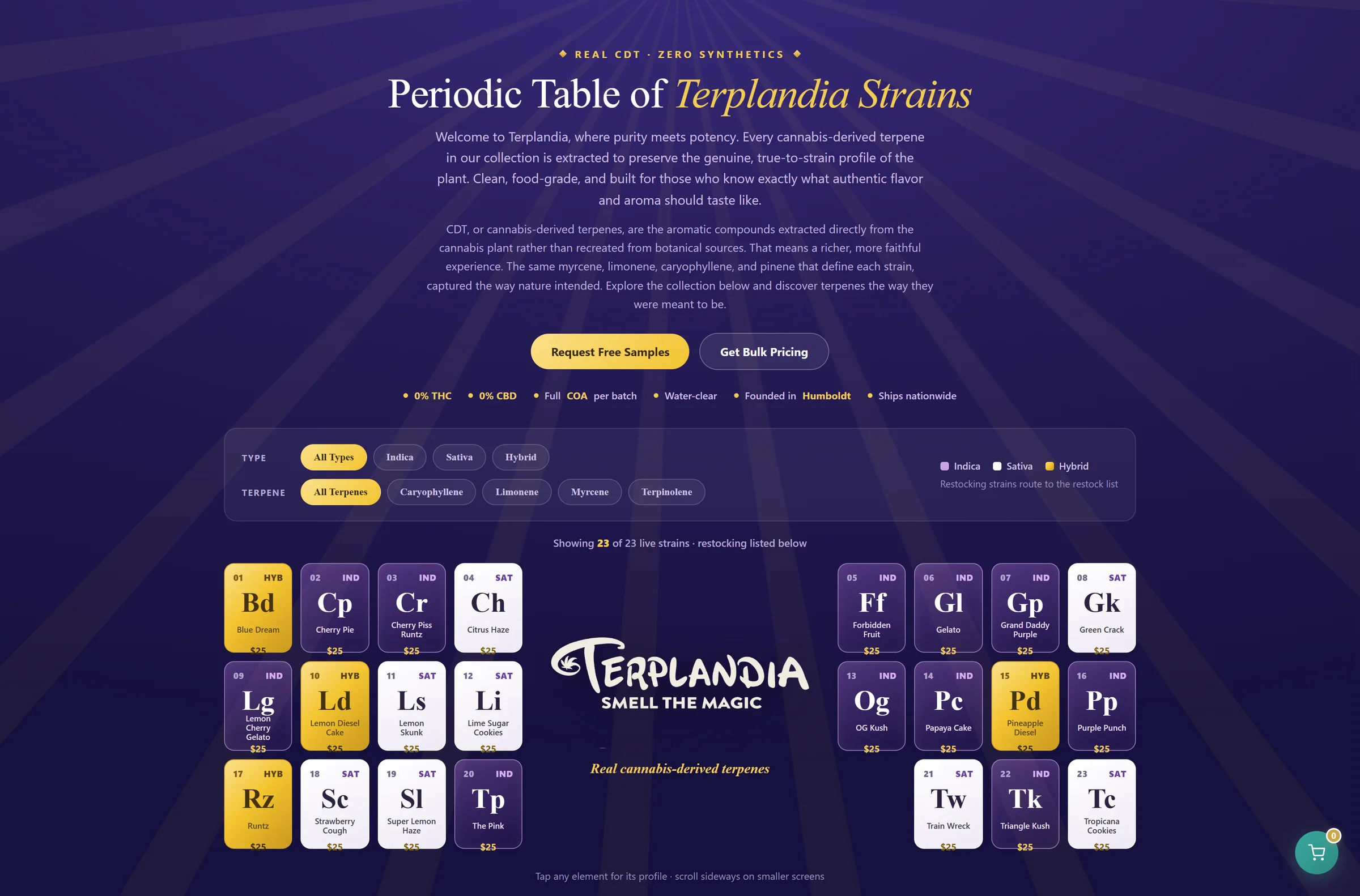
That distinction matters in specialist ecommerce. A large grid with attractive photographs can still leave a knowledgeable buyer opening every page. Put the attributes they compare in the catalogue itself, then let the product page carry the detail.
For a different store, the attributes could be dimensions, material, compatibility or pack size. The useful question is the same: what does a buyer need to rule out before reading a full page?
Put the evidence beside the order
The product page has a different job. Once someone has selected a profile, they need enough information to decide whether to sample it or pass it to a colleague.
On the captured Blue Dream page, the specification table lists the profile's type, dominant terpene and flavour notes alongside the manufacturer's product information. Lab results and the safety data sheet sit near the ordering controls. The page also offers a small sample, so a first order does not have to mean a bulk commitment.
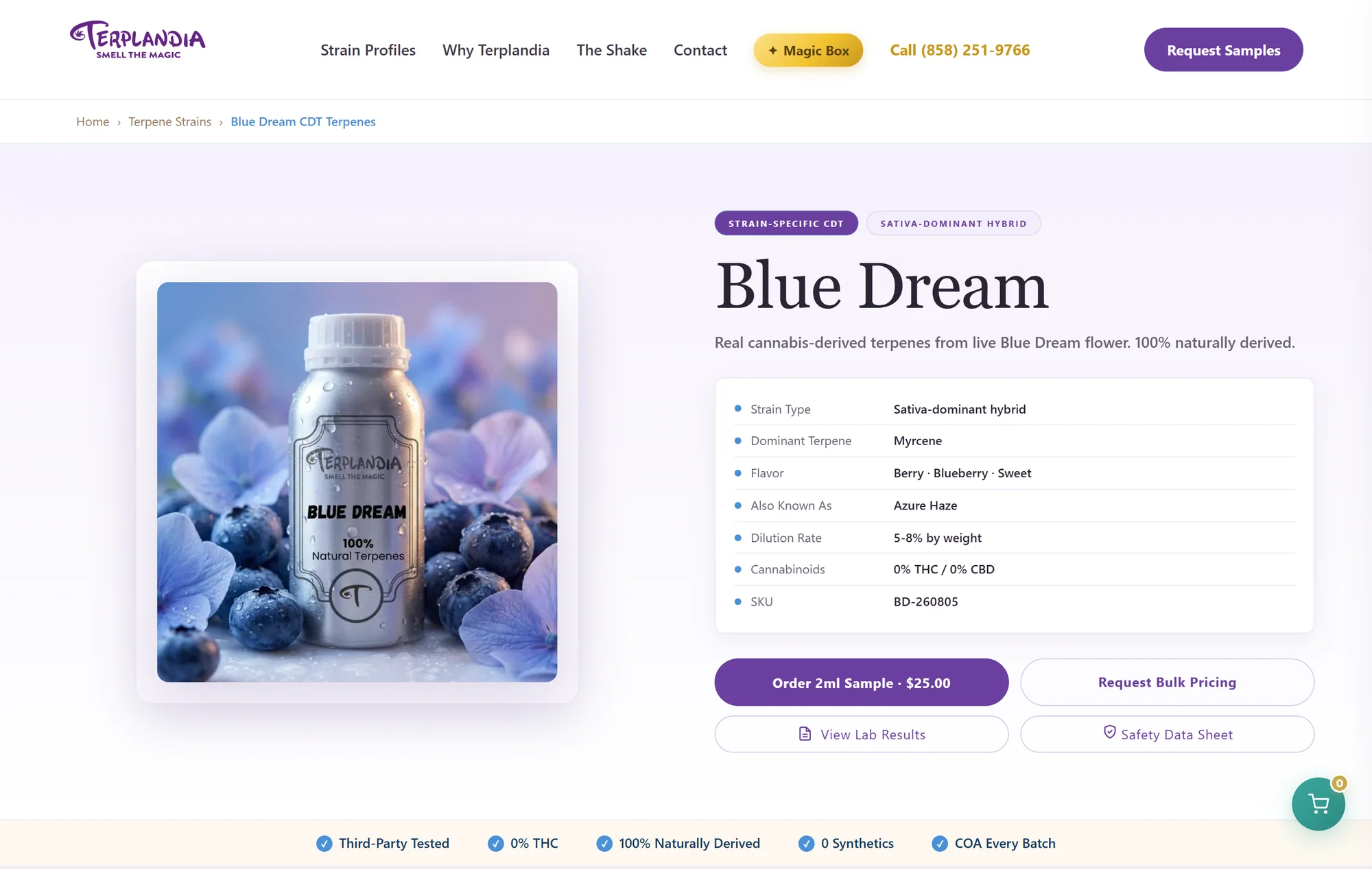
The important part of this layout is proximity. Someone reviewing a product should not have to email support to ask where its documents are, then find the product again after the reply arrives. A buyer and their QA colleague should be able to work from the same page.
The information in this capture belongs to that product and that date. It is evidence of the interface we built, not formulation guidance for another product or a substitute for its current documentation.
Give the worksheet a path back to the cart
The mixing lab was the largest departure from an ordinary shop. A manufacturer could choose profiles, enter a batch and terpene load, and inspect the resulting quantities. The worksheet kept the selected profiles alongside the calculation instead of sending the person away to start a separate spreadsheet.
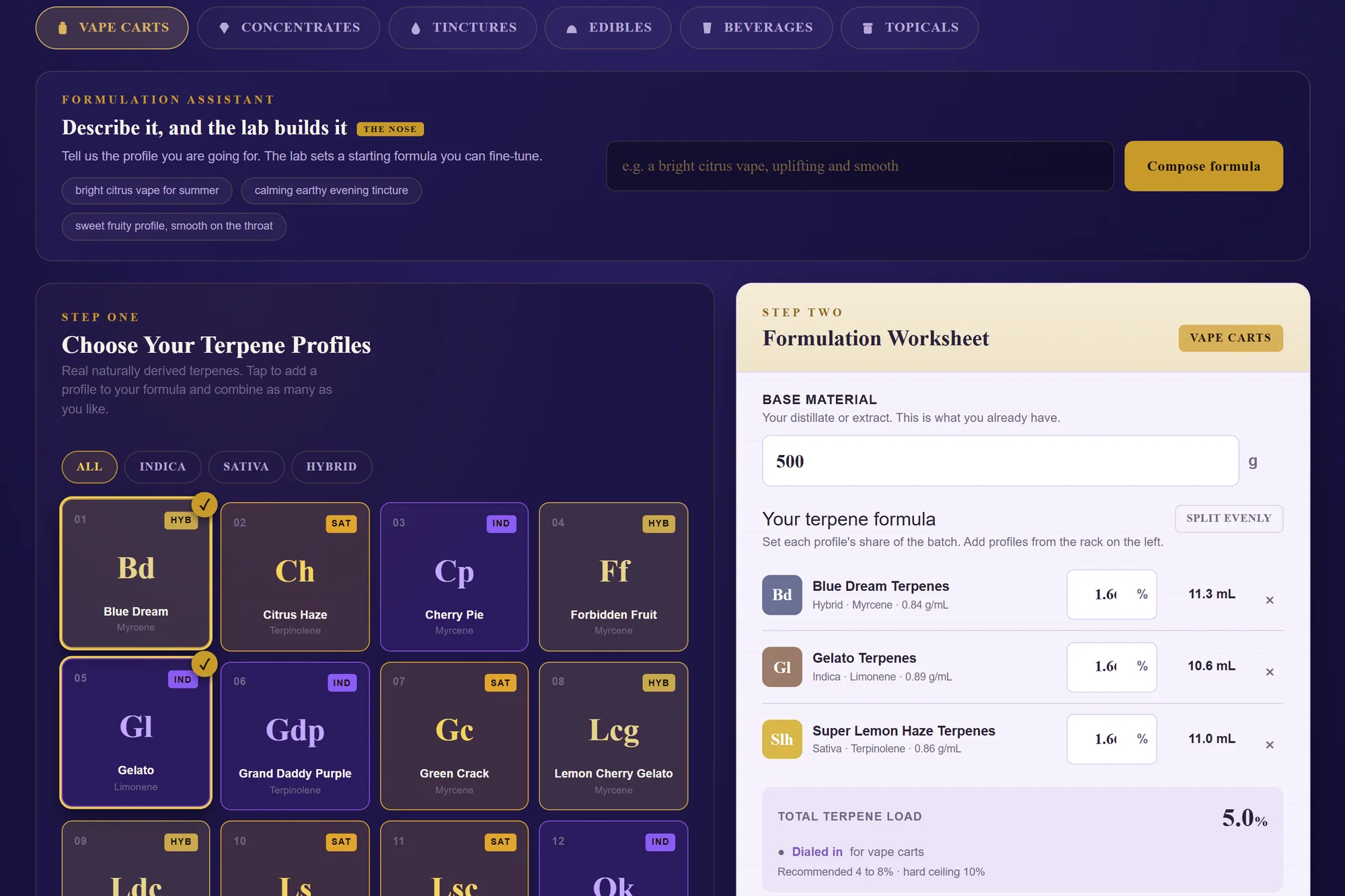
The output turned the worksheet into something the buyer could act on: quantities to measure, estimated unit yield and a route to add the formula to the cart. The lab also accepted a description in plain language as a starting point for a proposed formula. A proposed formula still needed the manufacturer's review.
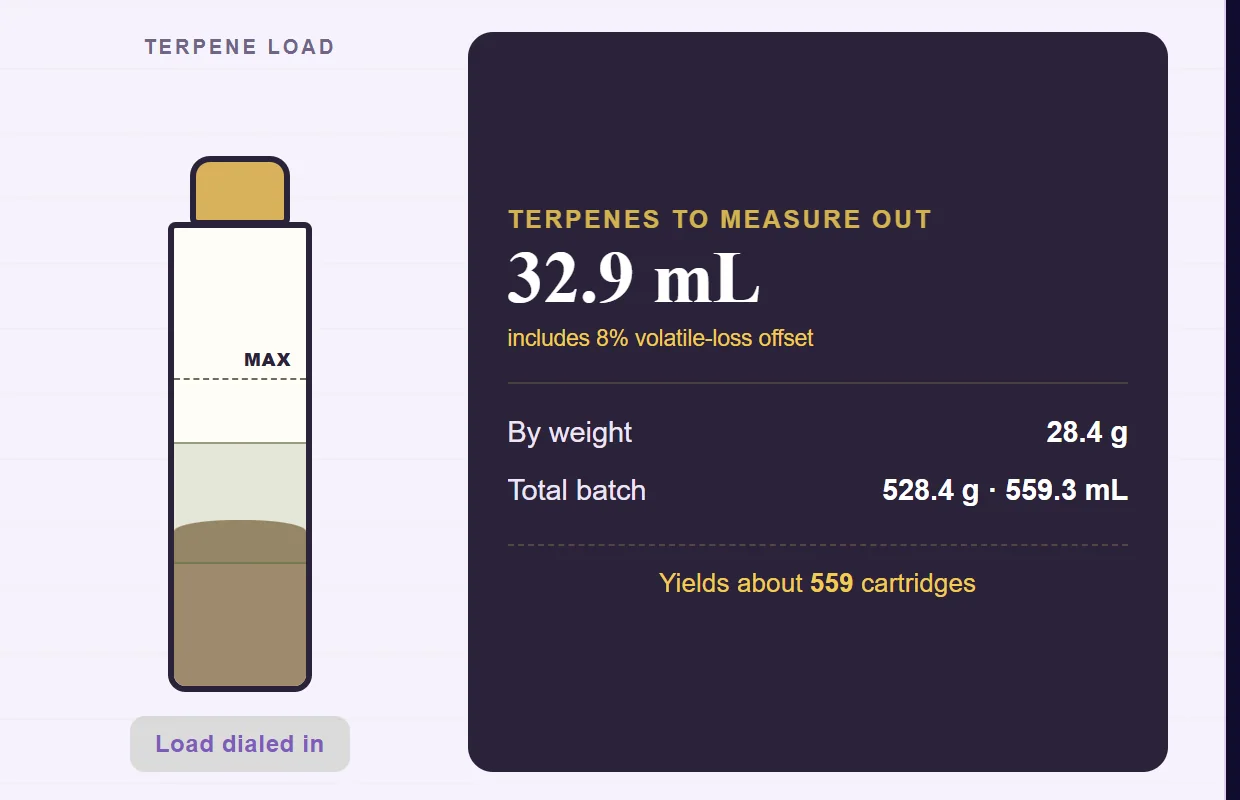
A calculator earns its place in a store when its output connects to the purchase. If it produces a number and leaves the buyer to identify every item again, much of the work is still on them. Here, the profiles chosen in the worksheet were also catalogue items.
This is why we used a custom plugin. The particular relationship between profiles, quantities and cart items belonged to the business. WooCommerce supplied the familiar product and checkout foundation underneath it. Our WooCommerce and Shopify comparison covers the wider platform decision; this is one concrete example of where control over the store becomes useful.
Make the landing page precise about who buys
Terplandia supplies manufacturers that use terpenes in their own products. The landing page needed to say that directly.
The captured page for THC-product manufacturers named the application in its headline and put the intended audience and the product's stated cannabinoid content close to it. That gave the visitor context before they reached the catalogue.
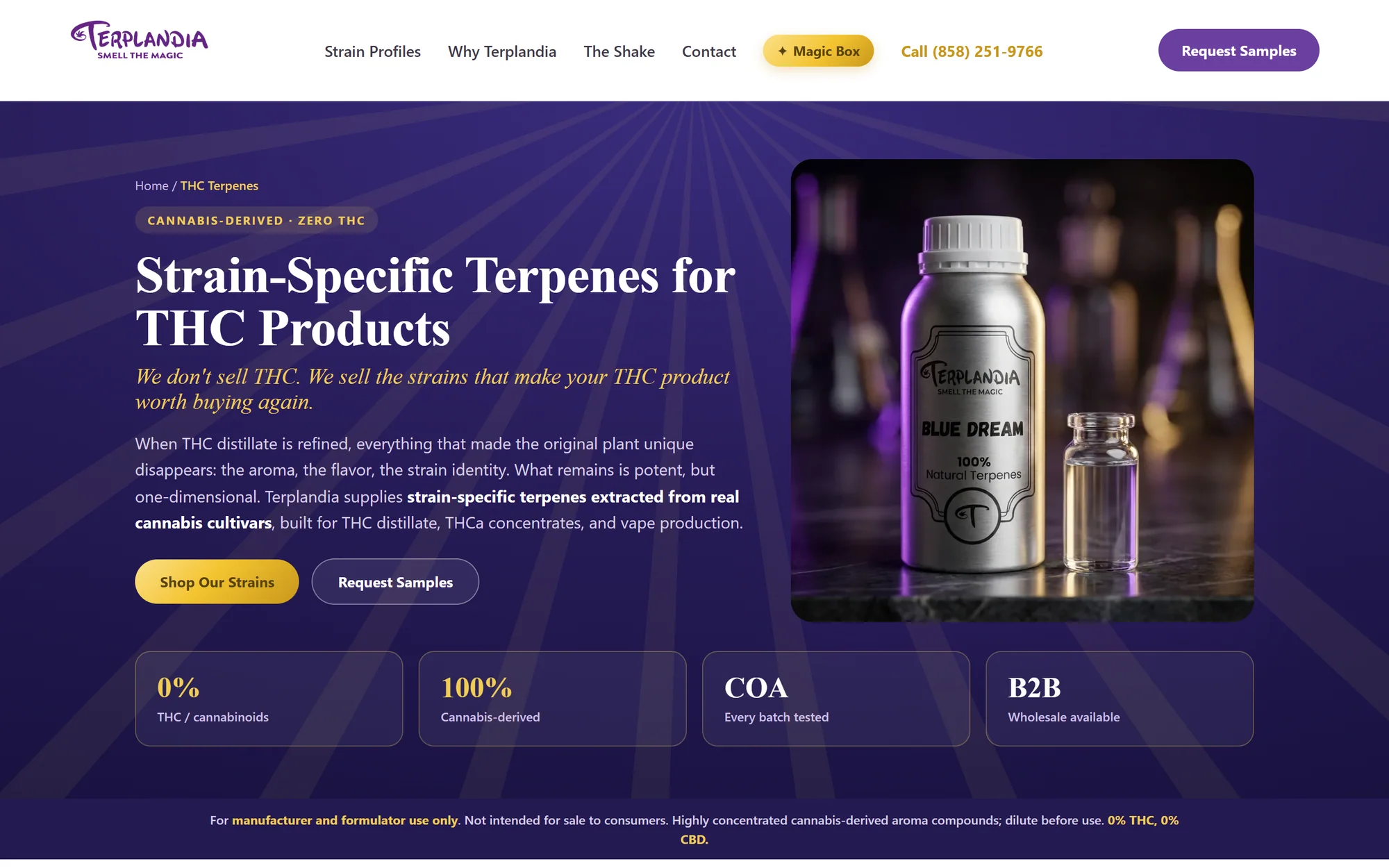
This is a content decision as much as a design decision. A page aimed at everyone leaves readers to decide whether the supplier understands their job. A specific page can explain the use, show the relevant details and offer a sensible next step.
Specific copy does not, by itself, make a product eligible for an advertising platform. Our separate guide to marketing when ad platforms restrict the category covers that question. The purpose here was to help the buyer understand the offer.
Write the journal for the questions around the order
Falcon's journal work covered sourcing, QA and formulation questions. These are the subjects that surround a buying decision: where a material comes from, what documentation a team needs and what to check before working with a supplier.
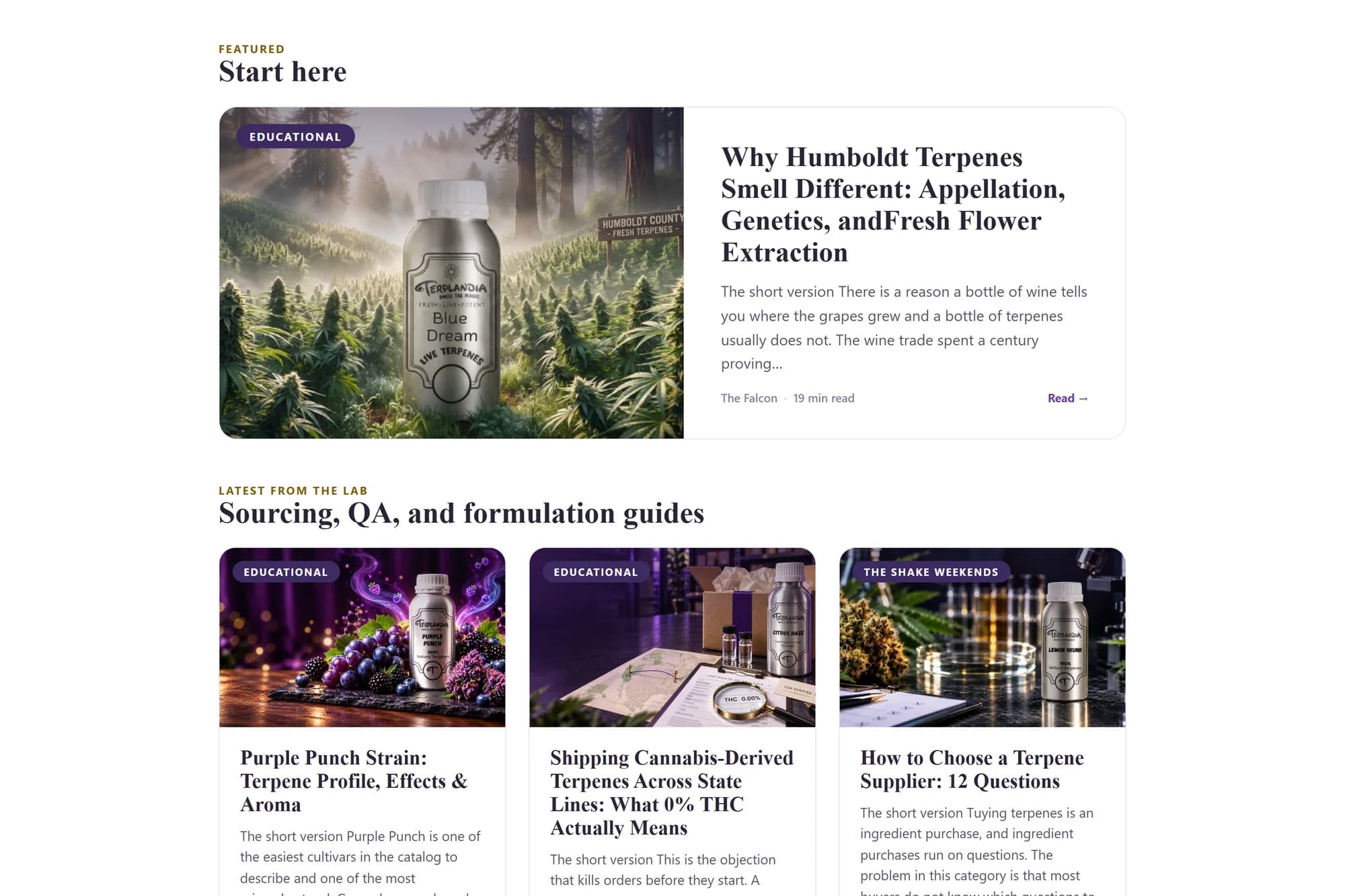
One article addressed shipping cannabis-derived terpenes across state lines. That is a real question for procurement, though a historical article should never stand in for current shipping rules or a carrier's own requirements. Other topics gave buyers a way to understand the material before comparing profiles.
The journal, catalogue and product pages served different stages of the same decision. An article could explain the question in depth. The finder could narrow the options. The product page could supply the documents and sample order. A store needs all three to point clearly to the next useful step.
What this build demonstrates
This case documents delivered work: the strain finder, product pages, mixing lab, landing page and journal. We are not attaching a conversion-lift percentage to it. We do not have a controlled before-and-after comparison to publish for the storefront, and a screenshot cannot establish one.
What another specialist business can take from it is the sequence. Identify the attributes buyers compare. Put product evidence where they make the choice. Keep useful calculations connected to real catalogue items. Write the longer answers where people can find them, and link them back to the next decision.
You can see more of this project and our other named client work in the studio portfolio. If your store already works and needs one particular selector, worksheet or integration, our WordPress plugin build is the smaller starting point.