Terrarium is the productivity app we are building around a small living village. You choose some work, make a little progress, take care of yourself, and see the world respond. Tasks, project steps and water tracking share that world.
The interesting design problem appears when you tap the wrong button.
Suppose you record a paragraph twice, or log a drink you did not finish. The app needs to let you correct the record. But if correcting it also takes away a reward you have already earned, the interface gives you a reason to leave the mistake there. We want an accurate record to feel easy.
That decision runs through the current Android build. Try the shared-count example above, then inspect the actual development screenshots from 20 October 2026 below.
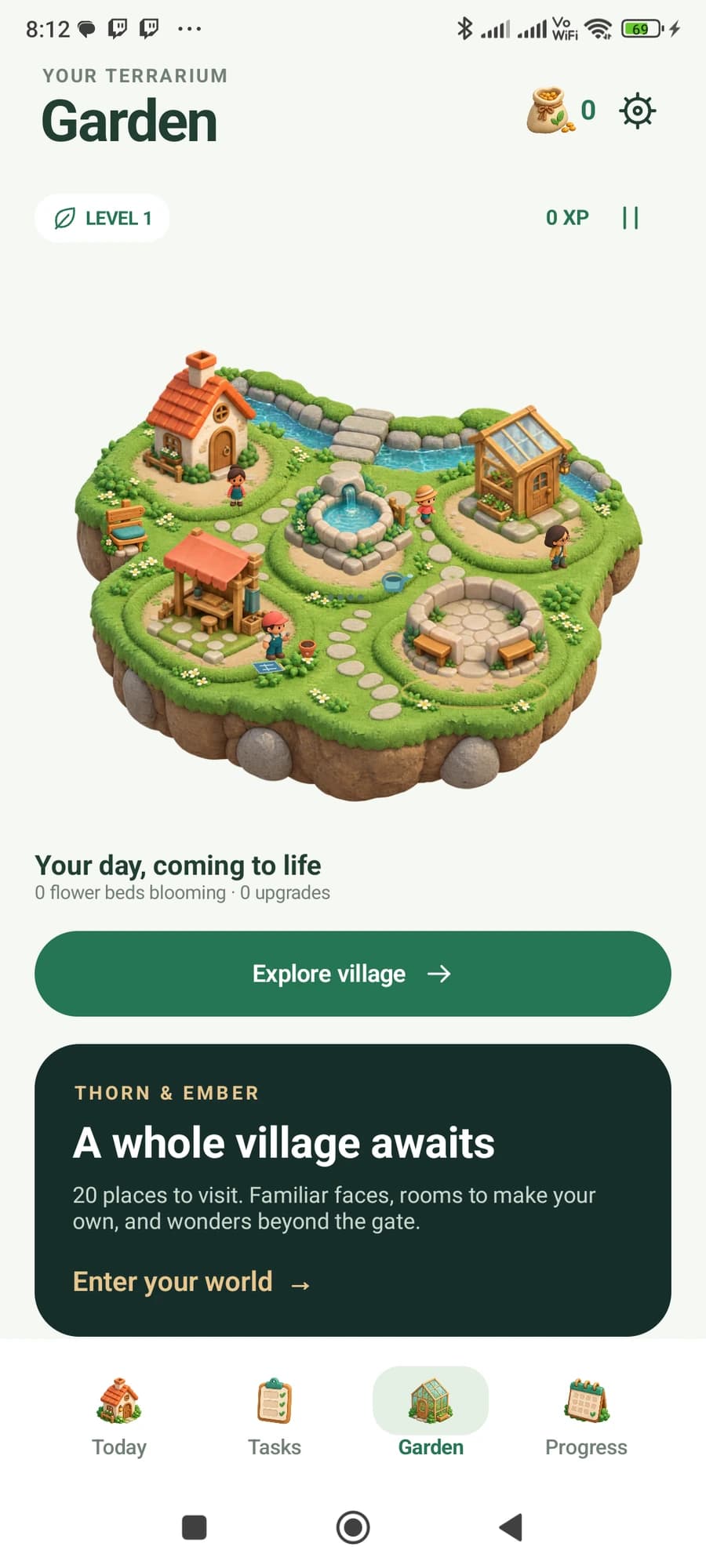
One piece of work, two useful views
A daily list and a project plan answer different questions. Today asks what you want to do now. The project asks how far the whole piece of work has moved.
They still need to agree about what happened.
In Terrarium, a countable project step can be brought into Today with Do today. You choose a quantity for the day. Recording progress from either view changes the same underlying project step; it does not create a second, independent task to keep in sync.
Here is a concrete acceptance example from the build notes. The project is to write seven posts, with two planned for today. These are example task quantities, separate from the five-paragraph test project pictured below.
| Action | Today | Project total |
|---|---|---|
| Plan two posts for today | 0 / 2 | 0 / 7 |
| Record one post from Today | 1 / 2 | 1 / 7 |
| Record the second from the project | 2 / 2 | 2 / 7 |
| Undo one mistaken count | 1 / 2 | 1 / 7 |
Planning changes the target. Recording and correcting change the work recorded. The two views share progress; they do not add up to four completed posts.
There is another boundary here. Starting a project work session selects what you are working on. It does not silently finish a task or start a timer. Those actions mean different things, and the project screen says so.
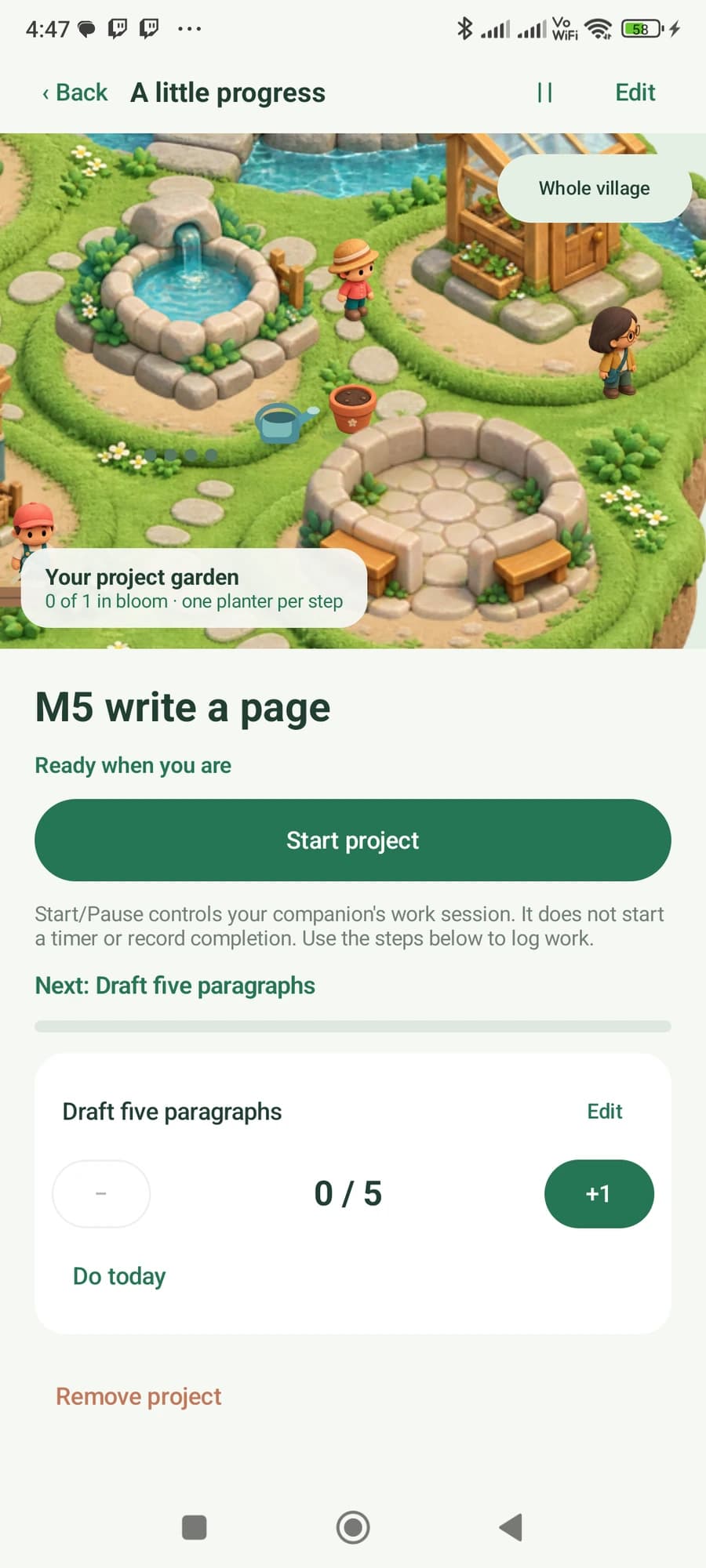
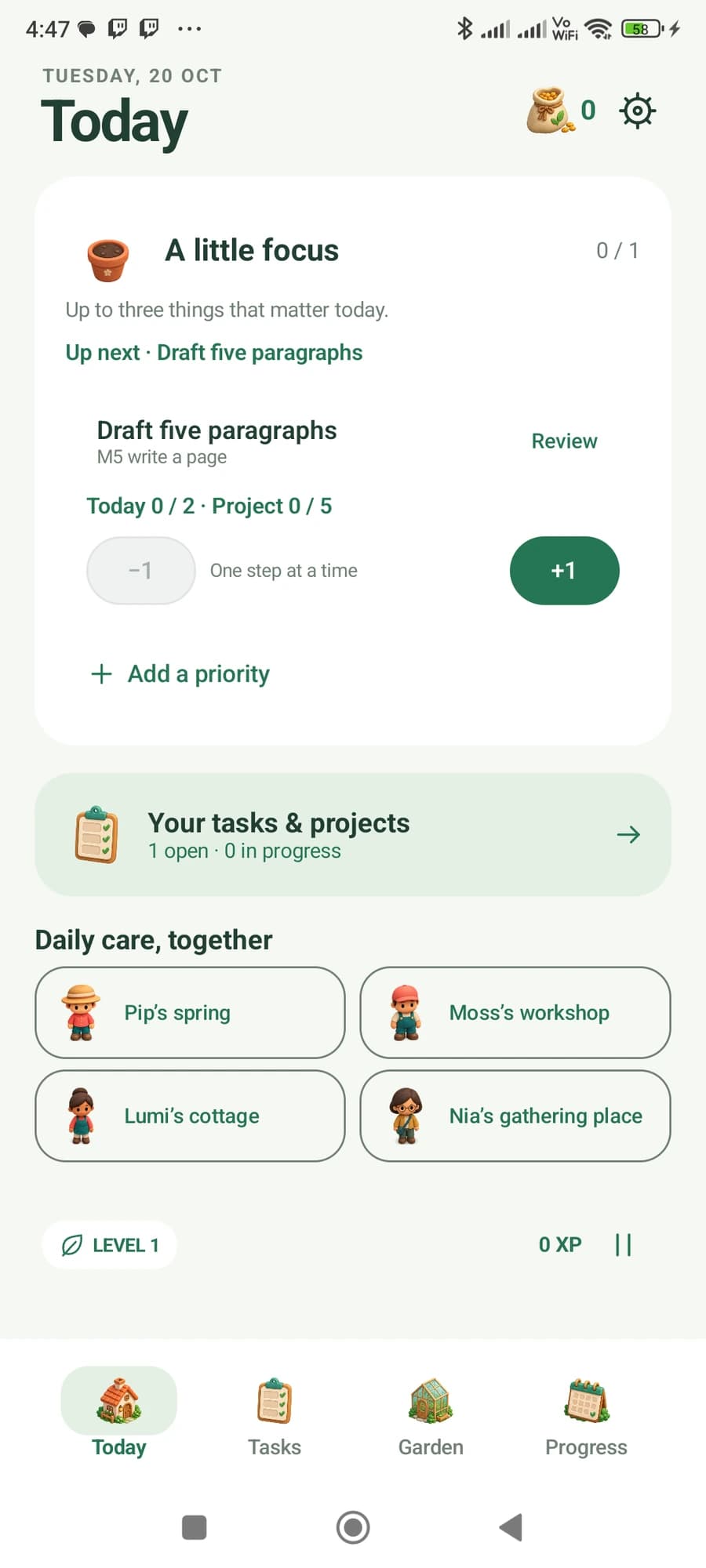
Undo should fix the count and keep earned rewards
The distinction we settled on is between a record of activity and an earned reward.
The record must remain correctable. A count can go down when you undo it. Today's progress display can reflect that correction. The earned XP, seeds and buildings you have already bought should remain yours.
That leaves an obvious loophole to close: repeatedly complete, undo and complete the same item. If every repetition creates a fresh reward, a correction control becomes a way to manufacture progress. Terrarium's shared-progress checks cover that loop too. Repeating the same completion does not keep granting the same reward or replaying the first-completion celebration.
This rule has a cost. A total for today's activity may decrease while the reward balance does not. We would rather explain those two measures clearly than quietly force them to represent the same thing.
It also matters when a project spans several days. Removing a task from Today's plan does not erase project work already recorded. And an older imported total is an opening balance, not evidence that all of that work happened today. The history needs to respect those boundaries.
Water history needs a real removal control
A water total is another place where an accidental tap is easy. A single number cannot tell you which entry was wrong.
Terrarium's history shows individual drinks and their times, with a Remove action and an Undo last drink control. The test screen below contains one 500 ml entry. Removing it corrects the amount while preserving rewards already earned.
The small daily target in this screenshot is a development fixture, not a suggested hydration target.
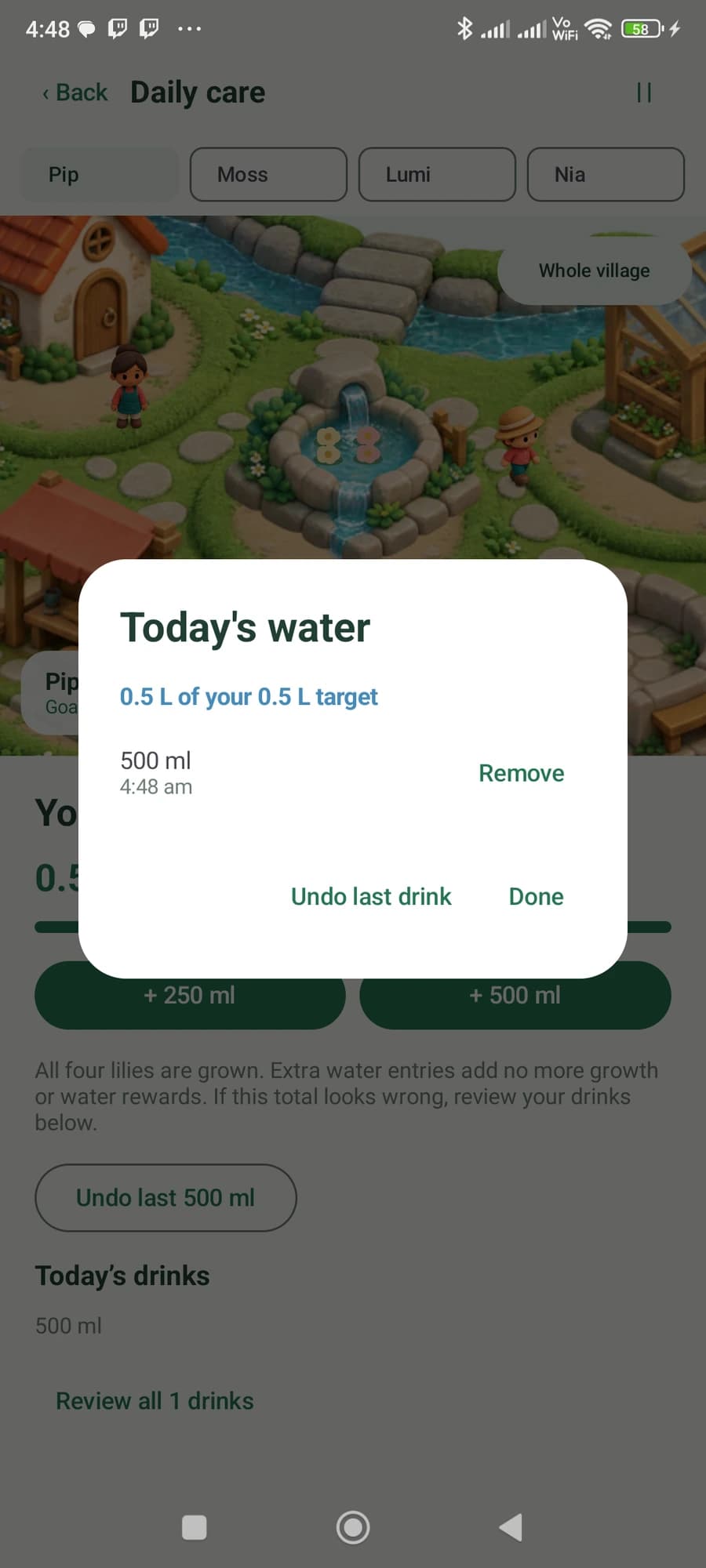
Extra entries above the goal do not keep producing extra growth rewards. Nor should undoing repeatedly push a water total below zero. Those are small rules individually; together, they make the controls safe to use when someone is tired, distracted or correcting yesterday's assumptions about how the app works.
A weekly review should describe the week you recorded
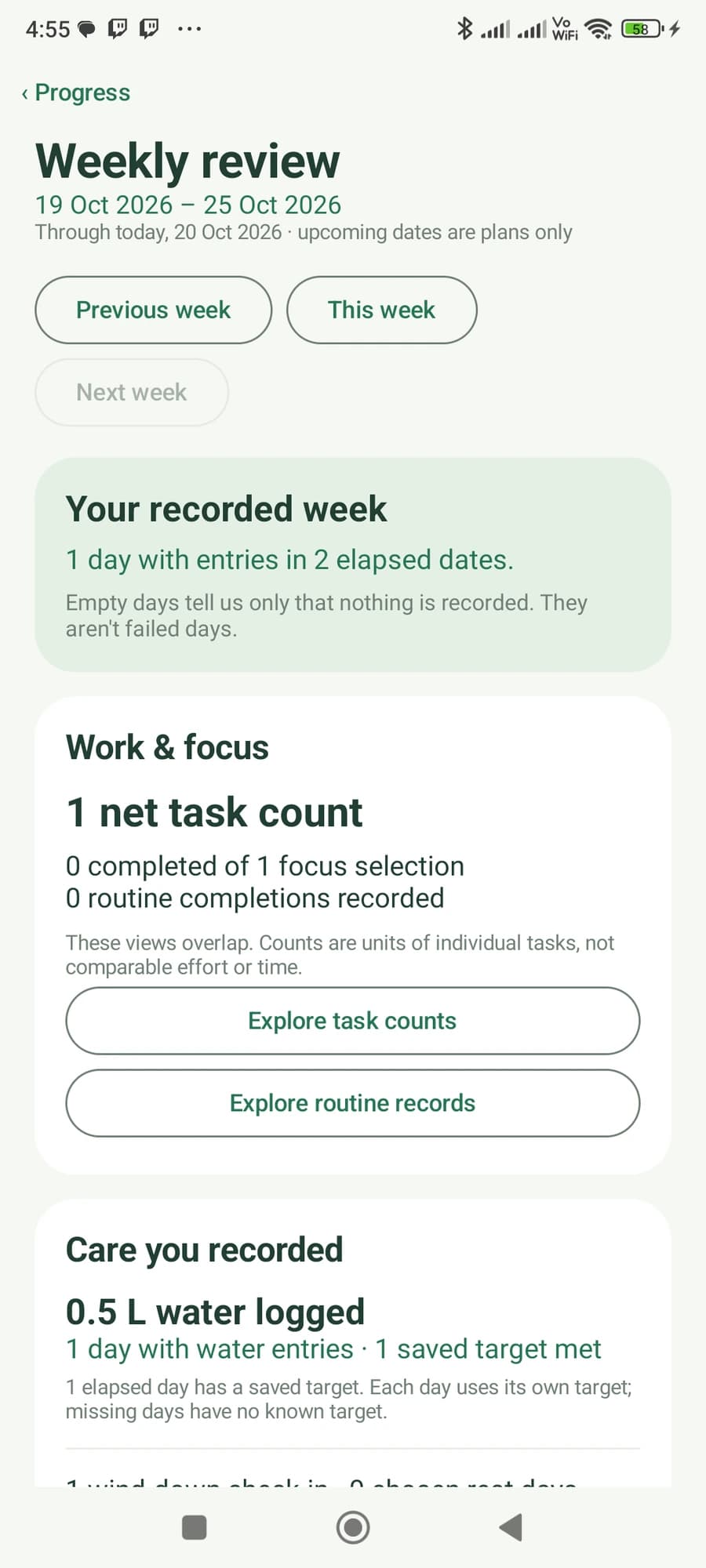
The weekly review keeps the same distinction between plans and activity. Selecting a task for focus is useful information, but it is not a completed task. Tomorrow's plan is not work done today.
The current review shows recorded entries and explains its time window. In the capture below, the week is still in progress. One day has entries, out of the two days elapsed. The screen explicitly says empty days are not failed days.
A checklist for anyone building this kind of app
You can use these checks on a habit tracker, a CRM task list or a project tool. They are especially useful when the same action appears in more than one screen.
- Complete one unit from the daily view and one from the project. Check that both views show the same two units.
- Undo one unit. Inspect the daily count, project total, history and earned rewards separately.
- Complete, undo and complete again. Look for a duplicate reward or a celebration that should happen only once.
- Unlink a daily item. The work already recorded against the project should still exist.
- Review yesterday after working today. Today's changes should not manufacture activity on the previous day.
Tap a box as you go. Checks reset when you leave this page.
Download the correction-check worksheet and fill it in for your own product.
Terrarium is still a private Android preview. The work includes real-device reliability checks and longer everyday use before a public release. The village is already there; this is the behaviour we want it to support.
Explore Terrarium, or tell us about an app or workflow you want to build.